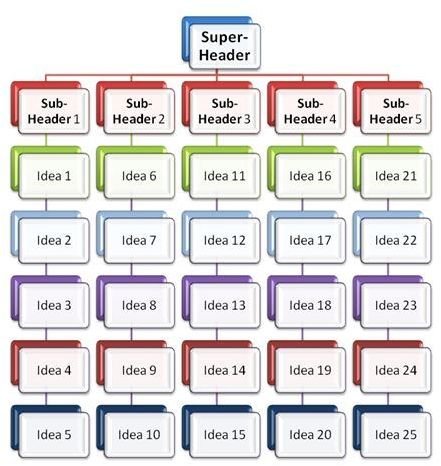
This article describes what constitutes an affinity diagram and how it can be used in Project Planning. The process of constructing an affinity diagram is also described here along with a example of its structure.
[caption id=“attachment_132590” align=“aligncenter” width=“765”]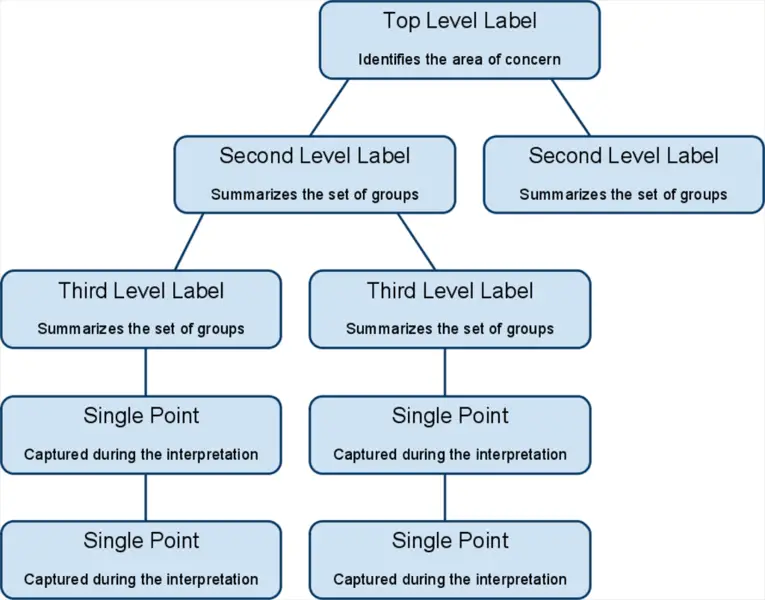 Affinity Diagram - a useful tool for PMP[/caption]
What Is It?
An affinity diagram is a diagram constructed out of a large set of ideas or opinions by grouping together similar or related ideas into logical groups. It is a project management technique that is very effective during brainstorming sessions in order to organize ideas. The affinity diagram concept can be effectively utilized by teams in manual project planning while working upon an area with incomplete knowledge. It works if you ask your team to do some brainstorming or simply while working on unknown or unexplored areas.
When Should You Use It
There are a variety of tools that can be used during brainstorming, such as mind-maps etc. So one may wonder when and where an affinity diagram is best used, and what advantages it can provide over other project planning tools. Specific applications of the affinity diagram are: Going Through Large Volumes of Data When there is a large amount of data to go through, in the form of an unsorted or unorganized list, for example, it helps to use an affinity diagram in order to lend a degree of structure and organization to the data. Stimulate Idea Generation and New Patterns of Thinking An Affinity Diagram can be used to stimulate idea generation, because the groups that are formed as a result of an affinity diagram help provide clarity in thought processes and stimulate new patterns of thinking.
When Should You Avoid It
An affinity diagram as described above is best suited to specific areas and should be avoided under certain conditions. When the data sets available are small in number (less than 15) the affinity diagram can be skipped. There is no significant benefit which can be gained by creating the affinity diagram as the data is neither large enough to become cumbersome nor too disorganized to confuse thought. Creating an affinity diagram under such circumstances may just be an exercise in futility.
Creating an Affinity Diagram
The following sequence of steps can be followed in order to create an Affinity Diagram
- Get your team to generate a pool of ideas via brainstorming .
- Display ideas such that they are clearly visible to everyone.
- Sort the ideas into logical groups.
- Create header cards or title cards for the groups.
- Draw the final affinity diagram.
The structure of the completed affinity diagram will look something like the diagram above.