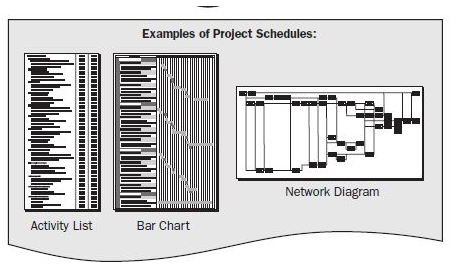
Project managers must deal with timelines and scheduling along with everything else that goes into a project, such as monitoring and delivering. Most teams are used to Gantt charts or bland timelines showing assigned activities, progress and duration. There has to be a better way though right?
Need More Options?
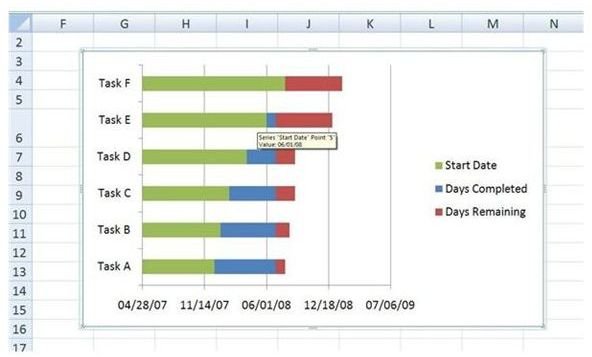
The Project Management Body of Knowledge (PMBOK) details project time management and shows examples of project timelines using activity lists, bar charts, Gantt charts, network diagrams (see screenshot to the left). The PMBOK may be king when it comes to schedules, but how can leaders come up with creative timeline project ideas that are out of the norm yet still display tasks, milestones and goals?
Bright Hub offers many tools on creating project timelines in MS Excel including Gantt charts and the most common types of project timelines including master schedules, milestone schedules and detailed project schedules. All of these tools and templates are extremely helpful but what if you want to skip the plain timeline and be more adventurous?
Be Creative With PowerPoint
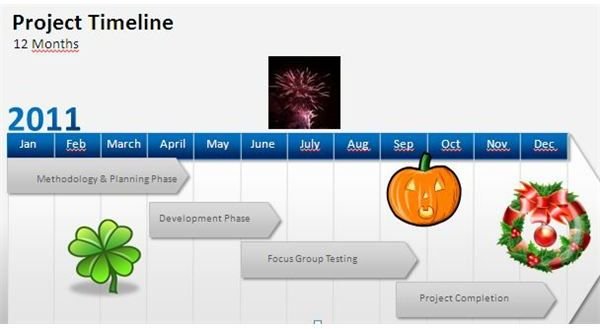
You can opt for project scheduling software or be inventive. PowerPoint presentations are more colorful, visual and offer creative options that are fun. In our screenshot example to the right, you can see how you can take a simple PowerPoint project schedule and include holiday images as goals and milestones.
Or, obtain the birthdays of the project team and include photos of each along the timeline—Bob’s birthday for example could be the focus group phase, etc. To mark missed tasks or slack times, use those yellow smiley faces—only insert ones with frowns.
You can do almost anything with a PowerPoint presentation if you take out the boring and include the exciting.
Use Mind Maps
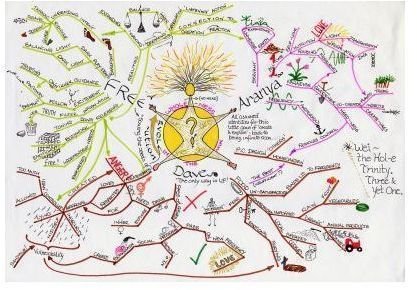
Typical mind maps have a central idea with arteries that show ideas through project team brainstorming sessions. These visual aids are also useful for creating project timelines.
Instead of your arteries flying about, use the central element as your project outline and map from there going forward. Use various colors for project steps but save golds and yellows for milestones, reds for slack or missed deadlines and greens for project completion.
If you’re unfamiliar with mind mapping, Bright Hub can help you with that too. Check out our article on the top ten free mind mapping software programs you can start using right away.
Match Timelines With History
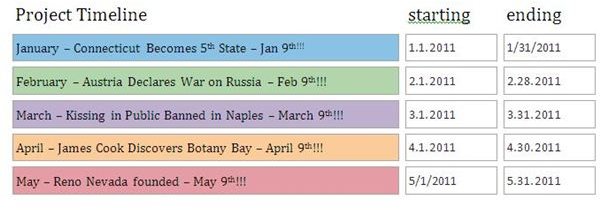
Almost all of us remember that little tune—“In fourteen hundred and ninety-two, Columbus sailed the ocean blue!” Microsoft Office has many different project schedule templates you can modify and use. In the screenshot to the right, see how dates in history can be used to mark milestones or achievements.
In our example, the ninth of each month represents an important day in history which can be aligned with a phase or action in a project timeline.
Search for dates in history that are fun or even convey project goals. This creative timeline project idea is not only fun but also easily created using MS Word.
Making It Fun
Skipping the boring project timeline will make project teams stand up and take notice instead of groaning at the same old timeline with no uniqueness. What’s especially useful with these examples of creative project timelines is that whether they be in PowerPoint, are created using mind mapping software or in MS Word, they can all be shared electronically and updated by the project manager or team leaders.
So skip the norm and start expressing your projects with creativity your project teams and stakeholders will be impressed with—a happy project takes effort on the leader’s part and with these ideas, your timeline will not be bland!
References
MS Office - https://office.microsoft.com/en-us/templates/?CTT=97
Dates In History - https://www.datesinhistory.com/
PMBOK 4th Edition - Project Management Institute (December 2008) - Amazon
Image / Screenshots:
Screenshot PMBOK Project Schedules taken by Jean Scheid (for educational purposes only)
Mind Map - Wikimedia Commons/Share Alike License
PowerPoint Presentation and MS Word Timelines created by author
Gantt Chart courtesy of Michele McDonough